 Pay Invoice
 Feedback
 Locations
 Search

Helping Little Explorers Discover Their World
Rocky Bay's walking clinic helps young children with cerebral palsy...

Rocky Bay is your partner in possibility, and our team of Allied Health professionals are ready to support you.
Many of our allied health services are offered via telepractice, as well as in person, to support you with services such as dietetics, occupational therapy, physiotherapy, speech pathology, support coordination and children’s continence clinics.
Receive services in a relaxed setting or in the comfort of your own home. This is an alternative way for you to meet with your therapist and conduct a therapy session, using digital devices such as computers, laptops, tablets or even your mobile phone.
It can be a more comfortable experience for individuals who find it hard to reach one of our hubs. Using telepractice in a relaxed setting means that you and your therapist can simply focus on reaching your therapy goals.
Call our Customer Engagement team on (08) 6282 1900 or speak to your therapist to book a Telepractice appointment. Your therapist will send you a link and instructions on how to access your Telepractice session.


Telepractice is the delivery of therapy using online platforms on a computer, laptop or tablet. Rocky Bay uses Microsoft Teams (MS Teams) which is a free, online program that you will be able to download in order to connect with your therapist remotely. There is evidence supporting the use of Telepractice for speech therapy, occupational therapy, physiotherapy and psychosocial therapy, indicating that these services are usually at least as effective as standard therapy. Your clinicians are up-to date with the current best-practice online therapy models, to ensure that they are still providing quality, evidence based practice.
Online therapy services allow people who may otherwise be unable to access therapy to get the support they need. Additionally, Telepractice is considered a safe alternative to reducing the risk of transmission of
infection between therapist and customer.
You will need access the following:
• A computer, laptop or tablet that has an inbuilt camera or webcam and microphone
• High speed internet connection
Note: When your therapist books a
Telepractice session, they will include a link to MS Teams from which you can download the software.
Yes, if you are not familiar with using technology, it would be best for you to have someone helping you at your end.
Yes, if you are a parent of a child who is receiving Telepractice, you will need to remain with them during the session.
Yes, if you require physical support and/or have medical needs, you will require to have someone with you to assist.
Yes, if the strategies being discussed are to be practiced across a variety of daily activities.
No, if it is a sensitive, confidential and/or personal matter, it may not be appropriate to have someone else with you.
If unsure, please discuss this with your therapist when booking the Telepractice appointment.
Plan ahead with your therapist so you both know the purpose of the session and identify any equipment/resources that you require:
• Make sure your equipment is in good working order
• Ensure your computer/laptop/tablet is fully charged (or access to power source)
• Set up the equipment in a quiet room with minimal distractions or background noise
• Have your phone with you in case your therapist needs to call you
• Ensure there is adequate lighting and space
At the beginning of the therapy session you will be required to inform your therapist of everyone who is present in the room with you.
Similarly, your therapist will also inform you if they have someone with them.
Sessions are not to be recorded under any circumstance unless permission is provided by all parties participating in the Telepractice session.
MS Teams is an end-to-end encrypted program, which means that no-one is able to access the content of the call/meeting except those in attendance. As with all our sessions, any information provided within the session will be kept in strict confidence and comply with State and Federal privacy policies. If recording of any part of the session is required, we will ask for your consent in advance.
The Rocky Bay Cancellation Policy (available onour website) applies to Telepractice services.
If you do not sign into the MS Teams Meeting at the time of your appointment, your clinician will attempt to contact you to make sure everything is okay. If they are unable to get in contact with you, the ‘No show’ cancellation fees will apply.
If you would like to move your face to face appointment to a telepractice session, please contact our team with a minimum 48 hours notice.
Payments for Telepractice will be the same as for your usual service. For NDIS Self-Managed customers and privately paying clients, you will receive an invoice following the sessions.
For NDIS Organisation Managed Rocky Bay will claim directly from the NDIS once the service has been provided.

Rocky Bay's walking clinic helps young children with cerebral palsy...

For engineer Ron, a sudden illness changed everything. But it...
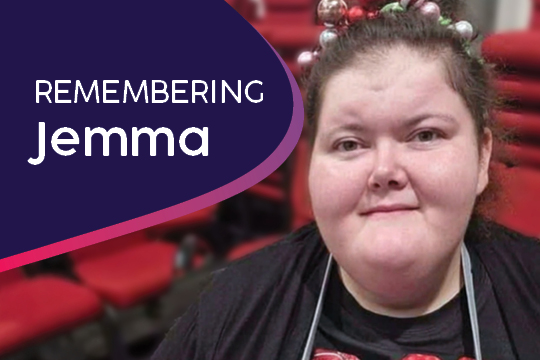
Jemma, a much-loved Rocky Bay respite customer, sadly passed away...